Table of Contents (14 sections)
Embarking on a journey to become a developer can be daunting. However, with the right tools in your arsenal, you can streamline your learning process and enhance your productivity significantly. In this article, we’ll explore the essential tools for aspiring developers that not only help you code effectively but also nurture your skills and boost your confidence.
1. Code Editor
A code editor is perhaps the most critical tool for any developer. It acts as your primary workspace where you write, edit, and debug your code. There are countless options available, but popular choices like Visual Studio Code and Sublime Text stand out due to their robust features.
These editors typically support syntax highlighting, code completion, and error detection, making coding a less error-prone process. Additionally, many code editors offer extensions that allow you to customize your workflow. For instance, you can add plugins for version control integration, linters, and even themes to make your coding environment visually appealing. Conclusively, investing time in selecting the right code editor will significantly enhance your coding journey.
2. Version Control System
As a developer, managing changes to your code is paramount. This is where a Version Control System (VCS) like Git becomes essential. A VCS tracks revisions in your code over time, making it easy to revert to previous versions or collaborate with other developers.
Git, particularly hosted on platforms like GitHub, allows for seamless collaboration while offering features like branching, which lets you work on different aspects of a project simultaneously. Moreover, understanding how to use Git effectively is not only an industry standard but a critical skill in any developer's toolkit. Learning version control promotes a greater sense of organization and enhances team collaboration.
3. Integrated Development Environment (IDE)
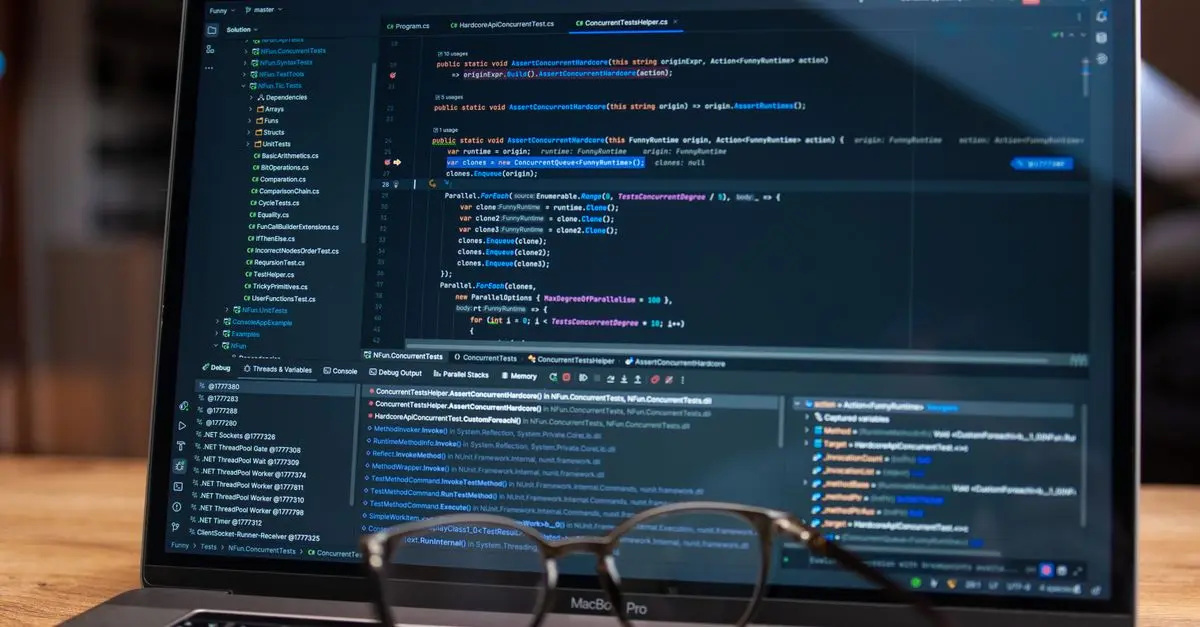
While a simple code editor suffices for many, an Integrated Development Environment (IDE) can provide advanced functionality. IDEs like IntelliJ IDEA or Eclipse come equipped with not just text editing but also debugging tools, build automation, and testing frameworks.
These comprehensive setups can significantly speed up your development process, making them an essential tool for anyone aspiring to become a proficient developer. For example, built-in debuggers help you monitor your code's execution line-by-line, which is crucial for identifying bugs early. Overall, using an IDE can dramatically improve your workflow and productivity.
4. Communication Tools
Effective communication is fundamental in development, especially if you're collaborating with others. Tools like Slack and Microsoft Teams facilitate smooth communication, allowing developers to discuss ideas and share updates easily.
Additionally, these platforms often integrate with coding tools, so you can receive project updates and notifications directly within your communication channels. Utilizing such platforms helps foster a collaborative environment, which can lead to better problem-solving and team cohesion, ultimately enhancing productivity.
5. Online Learning Resources
To stay ahead in the rapidly evolving tech landscape, continual learning is vital. Online resources such as Codecademy, freeCodeCamp, and Coursera offer myriad courses that allow you to learn at your own pace.
From fundamental programming languages to advanced frameworks, these platforms provide practical exercises and projects that reinforce your learning. Utilizing these resources regularly will ensure that your skills remain relevant and up-to-date in this competitive environment.
6. Design Tools
As a developer, understanding user experience and interface design can significantly enhance your skill set. Tools like Figma and Adobe XD offer user-friendly interfaces for designing and prototyping applications.
Familiarizing yourself with these design tools allows you to create aesthetically pleasing apps while ensuring functionality. Furthermore, having a solid grasp of design principles helps bridge the gap between developers and designers, ultimately leading to more cohesive and user-friendly products.
7. Database Management Systems
Data management is integral to many applications, making knowledge of Database Management Systems (DBMS) essential. Tools like MySQL, PostgreSQL, and MongoDB simplify data storage, retrieval, and management.
Learning how to interact with these systems will enable you to create more dynamic and data-driven applications. Mastering database queries and knowing how to optimize database performance will also elevate your development expertise and employability.
8. Debugging Tools
Debugging is an inevitable part of the development process. Tools like Chrome DevTools and Postman are invaluable for troubleshooting web applications and APIs.
With Chrome DevTools, you can inspect elements on your webpage, view console logs, and monitor network activity. Postman simplifies API testing by allowing you to send requests and view responses, making it easier to debug and refine your backend services. Understanding how to utilize these tools effectively will save you time and frustration in your development efforts.
9. Cloud Services
In today's development landscape, leveraging cloud services for deployment and storage is crucial. Platforms like AWS, Google Cloud, and Heroku provide scalable solutions for hosting applications and managing resources.
These services typically offer free tiers that are perfect for aspiring developers to experiment without financial commitment. Familiarity with cloud deployment will significantly increase your practical knowledge and prepare you for real-world development scenarios.
10. Productivity Tools
Lastly, productivity is king. Tools like Trello, Asana, and Notion help you organize your projects, set deadlines, and keep track of tasks. Understanding how to prioritize your work will enhance your development process and ensure you remain efficient.
Incorporating these productivity tools into your routine will allow you to focus on coding while managing project timelines effectively. They create a structured approach to your learning and development, ultimately leading to better organization and output.
Checklist before investing in your tools:
- [ ] Identify your primary development goals.
- [ ] Research the best code editor for your needs.
- [ ] Learn the basics of Git and version control.
- [ ] Explore IDE options to improve your workflow.
- [ ] Join online learning platforms for continuous education.
- [ ] Familiarize yourself with at least one design tool.
- [ ] Invest time in understanding a DBMS.
- [ ] Practice using debugging tools frequently.
- [ ] Experiment with cloud service providers for deployment.
- [ ] Utilize productivity platforms for project management.
Glossaire
| Terme | Définition |
|---|---|
| IDE | Integrated Development Environment, un logiciel qui combine plusieurs outils de développement. |
| VCS | Version Control System, un outil qui gère les modifications apportées au code source. |
| DBMS | Database Management System, un logiciel pour la gestion des bases de données. |
> 🧠 Quiz rapide : What is the primary purpose of a version control system?
> - A) To write code
> - B) To manage changes in code
> - C) To design user interfaces
> Réponse : B — It manages changes in code, allowing you to maintain a history of your revisions.
📺 Pour aller plus loin : Understanding the Basics of Git and GitHub, a comprehensive guide on leveraging version control in your development projects. Search on YouTube: understanding Git and GitHub basics.
📺 Pour aller plus loin : how to get started with Git and GitHub sur YouTube
Recommended products
Selected by our experts
Uplift Essentials Silicone T Shaped Eye Patch For Facial Skincare Silicone T Shaped Eye Patch For Facial Skincare
inspireuplift.com


ilyeco 30Pcs Vitamin Leave In Hair Care Essential Oil, Hair Care Capsules Keratin Essence, Protein Smooth Hair Essential Oil keratin
inspireuplift.com