Table of Contents (12 sections)
Creating your first web application can be an exciting journey into the world of development. In this guide, we will walk you through the essential steps to build your first web application from scratch. Whether you're an absolute beginner or looking to hone your skills, this tutorial is designed to provide a solid foundation.
1. Understanding Web Applications
In simple terms, a web application is a software program that runs on a web server rather than being installed on your device. Web apps are accessed via web browsers, making them platform-independent. Here are some common characteristics:
- Interactivity: Users can interact with the application, altering its behavior through inputs.
- Dynamic Content: Unlike static websites, web apps can change content dynamically based on user actions.
- Accessibility: Accessible from any device with an internet connection, leading to a wider reach.
Understanding these fundamentals is crucial as they guide your design and development choices. According to a report by Statista, over 50% of global web traffic is generated through mobile devices, highlighting the importance of responsive design. Knowing this helps you plan for compatibility across different devices.
2. Setting Up Your Development Environment
Before diving into coding, you need to set up a development environment. This includes the following:
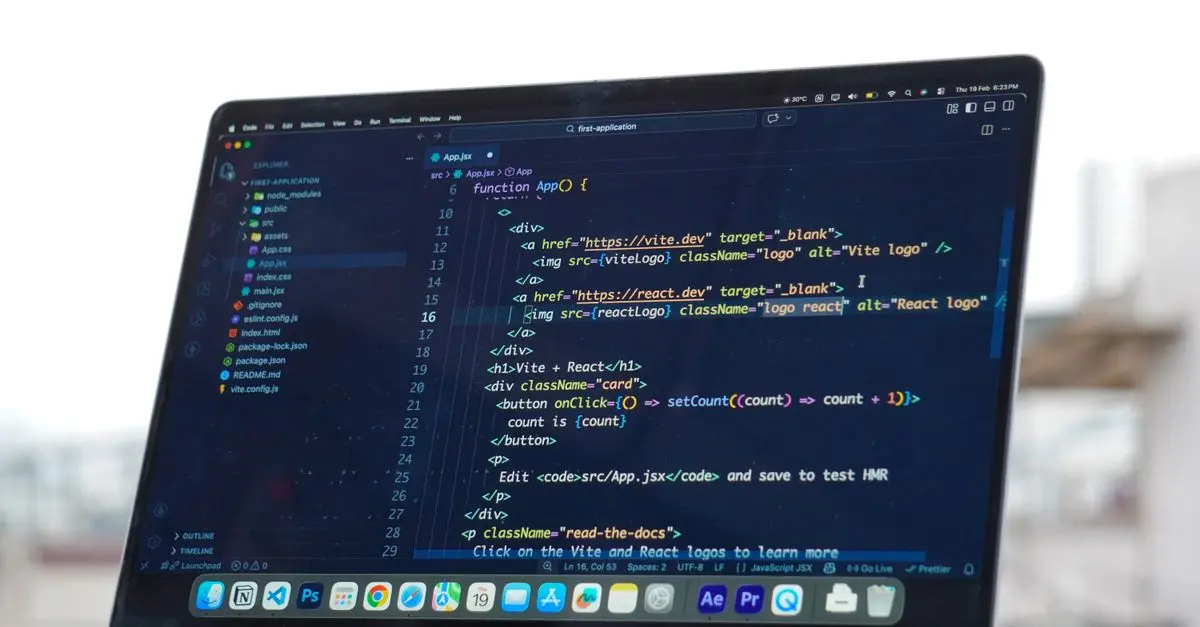
- Text Editor: Choose a reliable text editor or IDE like Visual Studio Code or Sublime Text. These tools provide syntax highlighting, debugging features, and extensions to streamline coding.
- Web Browser: Ensure you have a modern web browser (like Chrome, Firefox, or Safari) for testing your app.
- Version Control: Use Git for version control. Platforms like GitHub allow you to backup your code and collaborate with others easily.
When setting up your environment, it's crucial to avoid common pitfalls such as neglecting to install required packages or failing to properly configure your IDE. Always follow the installation guidelines provided by the tools you choose.
3. Planning Your Application
To avoid getting lost in development, it’s important to plan your application. Here are some practical steps:
- Define the Purpose: What problem does your app solve? This will guide your feature set.
- Sketch the User Interface: Create wireframes to visualize the layout of your app. Tools like Figma or Sketch can help with this.
- List the Features: Prioritize your features—starting simple ensures you can build and iterate quickly.
As you plan, keep in mind that 80% of users abandon applications when they encounter usability issues, according to studies by the Nielsen Norman Group. A clear and intuitive design is essential for user retention.
4. Choosing Your Technology Stack
Your choice of technology stack is crucial in determining what your app can achieve. Here's a common stack:
- Frontend: HTML, CSS, and JavaScript are the essentials. Frameworks like React or Vue.js can enhance interactivity.
- Backend: Common options include Node.js, Python (with Flask or Django), or Ruby on Rails. This handles data processing and business logic.
- Database: Choose between SQL (like MySQL) or NoSQL (like MongoDB) based on your data structure needs.
Table: Technology Stack Examples
| Component | Option A | Option B | Option C |
|---|---|---|---|
| Frontend | HTML/CSS/JS | React | Vue.js |
| Backend | Node.js | Python (Flask) | Ruby on Rails |
| Database | MySQL | MongoDB | PostgreSQL |
| Verdict | Great for dynamic content | Excellent for APIs | Robust for complex applications |
5. Development Process
With planning and technology in place, it's time for development:
- Frontend Development: Start by building your user interface using HTML for structure, CSS for styling, and JavaScript for functionality. Focus on basic features first.
- Backend Development: Set up your server and database. Use frameworks to handle requests and manage data interaction seamlessly.
- Testing: Implement unit tests and conduct user testing to iron out bugs. Use tools like Postman for API testing and Jest for JavaScript testing.
Avoid trying to implement advanced features before the core app works. Iterative development helps ensure quality and functionality.
6. Deployment
Once your application is developed and tested:
- Choose a Hosting Service: Services like Heroku, AWS, or DigitalOcean allow easy deployment with various pricing plans.
- Domain Name: Purchase a domain name to make your app accessible to users.
- Go Live: Deploy and keep monitoring performance and user feedback. Use services like Google Analytics to track usage metrics.
Deployment errors can be minimized by checking configuration files and ensuring all environment variables are set correctly.
7. Continuous Learning and Improvement
After deployment, the journey doesn’t end. Gather user feedback and continuously improve your application:
- Iterate: Based on feedback, implement new features or make improvements.
- Stay Updated: The tech landscape evolves quickly. Keep learning about new tools and best practices through online courses or forums.
Maintaining your application involves regular updates and community engagement for troubleshooting and feature requests.
Checklist before Building Your First Web Application
- [ ] Choose a suitable text editor.
- [ ] Plan the purpose and features of your application.
- [ ] Select your frontend and backend technologies.
- [ ] Set up version control with Git.
- [ ] Test your application thoroughly before deployment.
Glossary
| Term | Definition |
|---|---|
| Frontend | The part of the application that users interact with directly. |
| Backend | The server-side logic that handles requests and interacts with the database. |
| API | Application Programming Interface that allows different software entities to communicate. |
> 💡 Expert Opinion: Having a clear structure and understanding what technologies to use can significantly impact your development experience and the quality of your web application. Continuous learning and user feedback are vital in maintaining relevance and improving usability.

JuzToys - STEM Toys Building Toys For Kids, Racing Car, Construction Pieces to Build Your Own Car, Educational Toy
bestbuy.com

JuzToys - STEM Toys Transformer Toys for Boys, 5-in-1 Robot Toys to 5 Toys Vehicle, Educational Building Toys - Blue
bestbuy.com

JuzToys - 127pcs STEM Toys Building Toys For Kids, Construction Trucks Building Toys with Remote, Educational Toys
bestbuy.com
📺 Video Resources
> 📺 For further insight: Building Your First Web Application, an in-depth look at the tools and technologies to consider. Search on YouTube: build first web application tutorial 2026.
📺 Pour aller plus loin : Codex for Beginners Tutorial (2026): Build Your First App in Minutes sur YouTube
Recommended products
Selected by our experts

JuzToys - STEM Toys Building Toys For Kids, Take Apart Toys with Carrier Tool Box, Educational Toy Racing Car with Lights Sounds - Multi
bestbuy.com

JuzToys - STEM Toys Building Toys For Kids, 3-in-1 Take Apart Robot Toys Kit with Pretend Drill Screwdriver, Educational Toy - Red
bestbuy.com

JuzToys - STEM Toys Building Toys For Kids, Puzzles Car Race Tracks, DIY Rail Car Toys Set, Educational Building Toy, Yellow/Green - Multi
bestbuy.com

JuzToys - Kids Toys Cars, Construction Toys Race Tracks Playset, Track Set and Trucks Building Toy Educational Toys
bestbuy.com

JuzToys - STEM Toys Building Toys For Kids, Puzzle Race Tracks Airplane Toys, Educational Building Toy Puzzle, Blue/White - Multi
bestbuy.com

JuzToys - STEM Toys Building Toys For Kids, Building Blocks Educational Toys Take Apart Construction Toy with Electric Drill - Red
bestbuy.com